LoomSecure — a private VPN with Flood Watch DDoS detection

LoomSecure

A private tunnel for everything you do online — with a flood sentry that watches your real IP and tells a DDoS apart from a big download.

OpenVPN AES-256-GCM WireGuard keys Kill switch Flood Watch

Per-device key never leaves your PC · Up to 5 devices · Measured on your own adapter
The 40-second tour

See it in motion

One pass through the whole client — connect, protection, split tunneling, Flood Watch and themes.

1080p · 40s · silent Intro → Connect → Servers → Protection → Split tunneling → Flood Watch → Themes
Getting started

Protected in one click

Sign in, pick a city, hit connect. The dashboard shows protocol, exit address, live route and real throughput read straight off your adapter.

STEP 01

Sign in

Your plan issues configs and a per-device WireGuard key, generated locally.

STEP 02

Pick a city

Sort by measured latency and pick the closest fast exit — or let it choose.

STEP 03

Connect

Kill switch, encrypted DNS and leak protection come up with the tunnel.

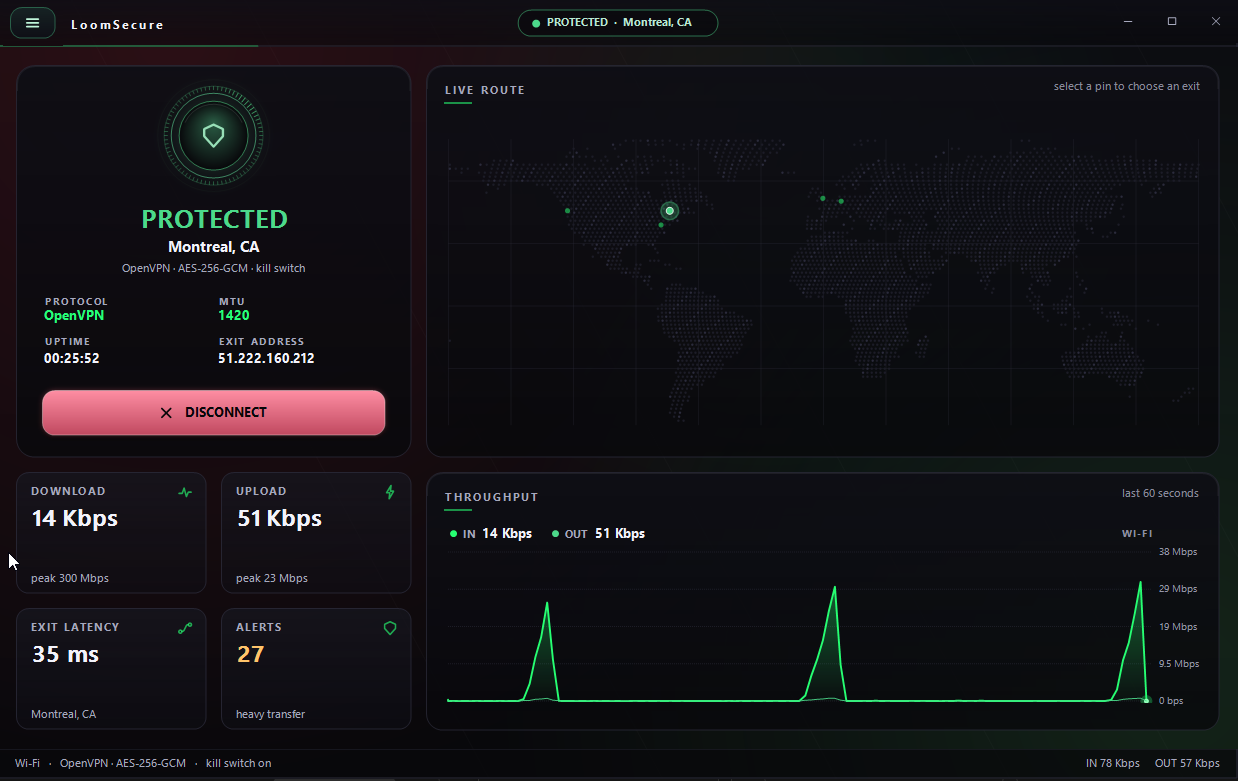
LoomSecure dashboard showing PROTECTED status for Montreal, protocol and exit details, a live route world map, and download, upload, latency and alert stats. Dashboard · live route + local throughput
The dashboard

Everything at a glance

No guessing whether you're covered. The status badge, exit IP and protocol are always front and center.

  • Live route mapSee your current exit and switch by tapping a pin.
  • Real numbers, measured locallyDownload, upload, exit latency and alerts — from your own adapter, not a server guess.
  • One button to dropDisconnect instantly — the kill switch stops traffic leaking in the gap.
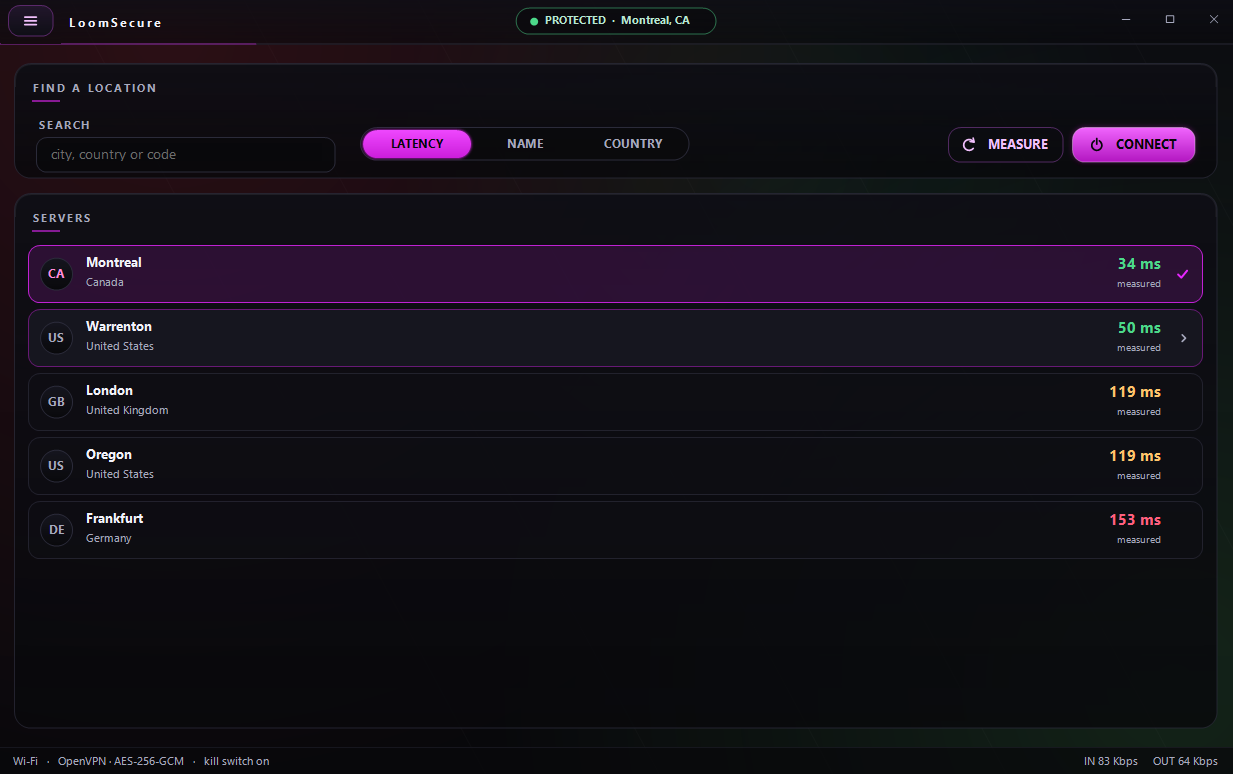
Server picker listing Montreal, Warrenton, London, Oregon and Frankfurt with measured latencies, plus search, sort and measure controls. Find a location · sort by measured latency
Choosing an exit

Pick the fastest exit, for real

Latencies are measured with real pings, not advertised. Sort by latency, name or country, or search a city or code.

  • Measure on demandRe-ping every server and re-sort before you commit.
  • Honest color codingGreen for fast, amber and red as latency climbs — Montreal at 34 ms, Frankfurt at 153 ms.
Protection

Locked down by default — tune it your way

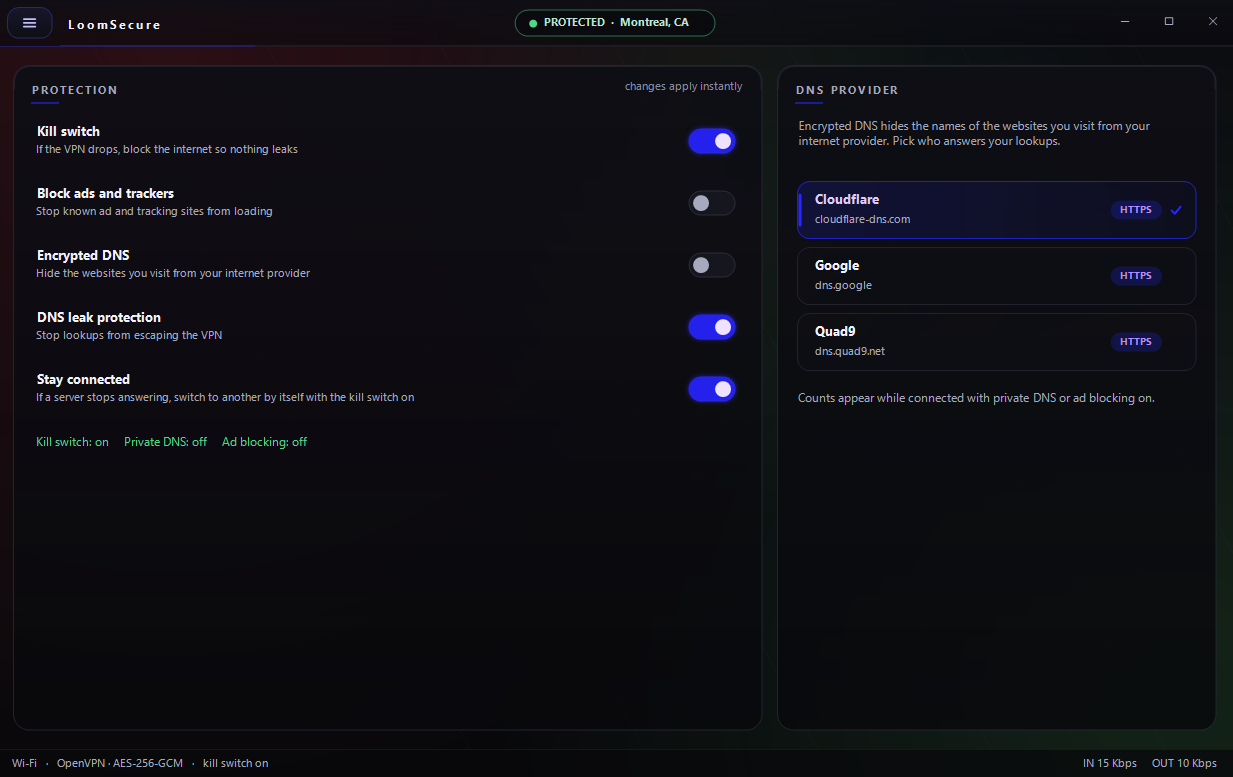
Changes apply instantly. Every switch does one plain thing, and the status line tells you exactly what's on.

Protection settings: kill switch, block ads and trackers, encrypted DNS, DNS leak protection, stay connected auto-switch, and a DNS provider picker with Cloudflare selected. Protection · changes apply instantly
What's inside

Six guards, zero jargon

  • Kill switchIf the VPN drops, the internet is blocked so nothing leaks.
  • Encrypted DNS + leak protectionLookups stay inside the tunnel. Pick Cloudflare, Google or Quad9 over HTTPS.
  • Block ads and trackersKnown ad and tracking sites never load.
  • Stay connectedIf a server stops answering, it switches to another by itself.
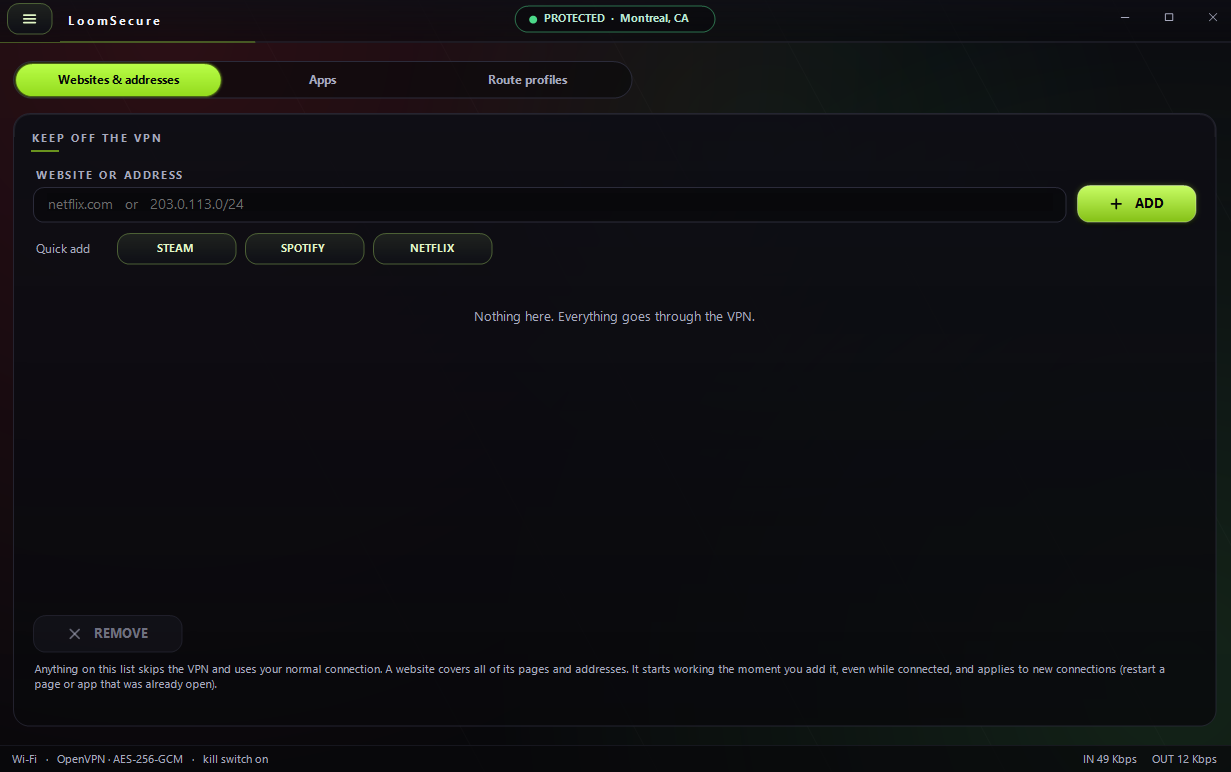
Split tunneling screen with tabs for websites and addresses, apps and route profiles, a field to keep sites off the VPN, and quick-add buttons for Steam, Spotify and Netflix. Split tunneling · keep chosen apps off the VPN
Split tunneling

Route what you want, skip what you don't

Send everything through the tunnel, or carve out the apps and sites that work better direct.

  • By app, site or subnetAdd a domain like netflix.com or a range like 203.0.113.0/24.
  • Quick addOne tap for Steam, Spotify or Netflix. Takes effect while you're connected.
  • Route profilesSave rule sets and swap between them.
The feature no other VPN ships

Flood Watch sees the attack your VPN hides

Most VPNs tunnel your traffic and call it done — so you never learn when someone points a flood at your real IP. Flood Watch watches both paths and tells a real DDoS apart from a heavy download.

◆ Classifies traffic as transfer vs. flood · watches tunnel AND real IP · reads it locally
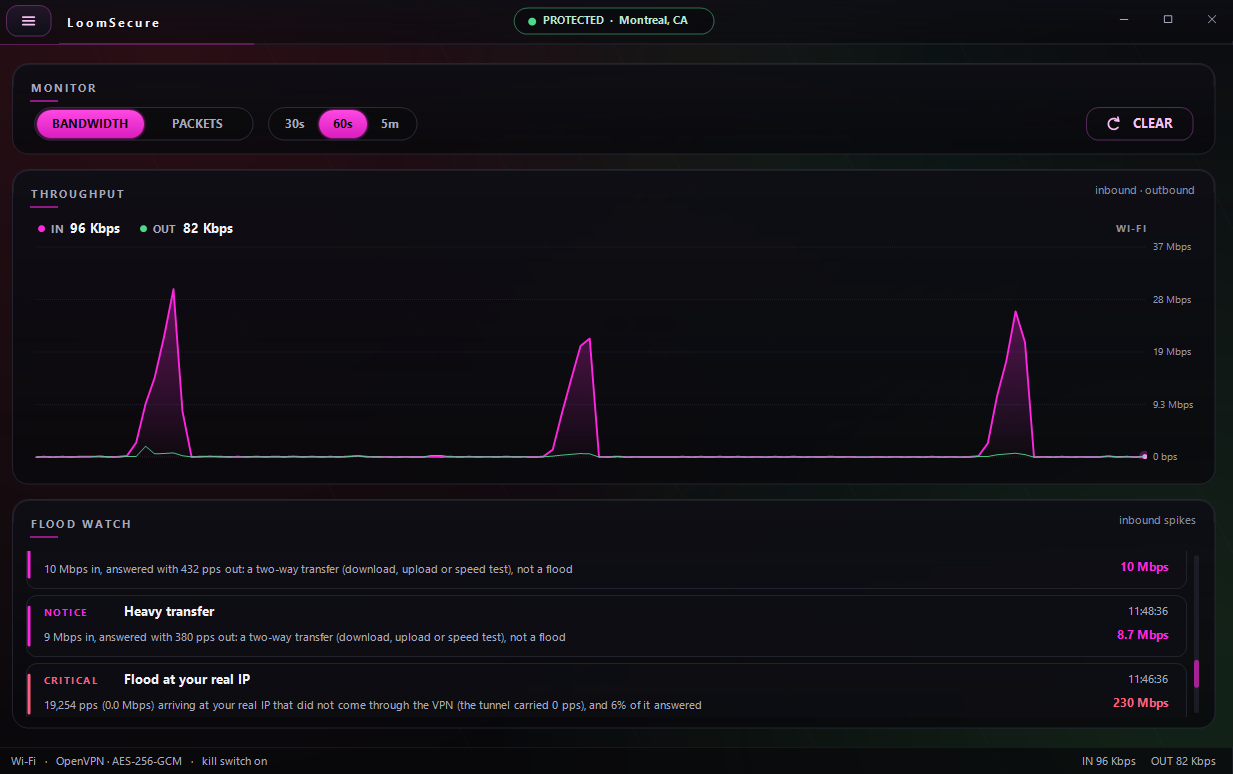
Monitor screen with a bandwidth graph of inbound spikes and a Flood Watch panel classifying events: two-way transfers marked as not a flood, and a critical alert for a flood at the real IP of 19,254 packets per second. Monitor · Flood Watch classification
  • Transfer, not floodIf inbound is answered two-way, it's a download or speed test — Flood Watch says so instead of crying wolf.
  • Catches the real-IP flood19,254 pps hitting the IP that didn't come through the tunnel — the exact hit a plain VPN never surfaces.
  • Severity you can readINFO, NOTICE and CRITICAL with timestamps and the packet math behind each call.
Under the hood

How it actually works

Transparent by design. Run read-only diagnostics anytime, and know where every piece lives.

Your key stays here

Each device makes its own WireGuard key. The private half never leaves this PC.

Access follows your plan

Configs are issued only while your plan is active, and stop working when it ends.

Protected by default

Kill switch, encrypted DNS and leak protection keep every packet inside the tunnel.

Measured locally

Traffic figures come from your own adapter, and latency from real pings.

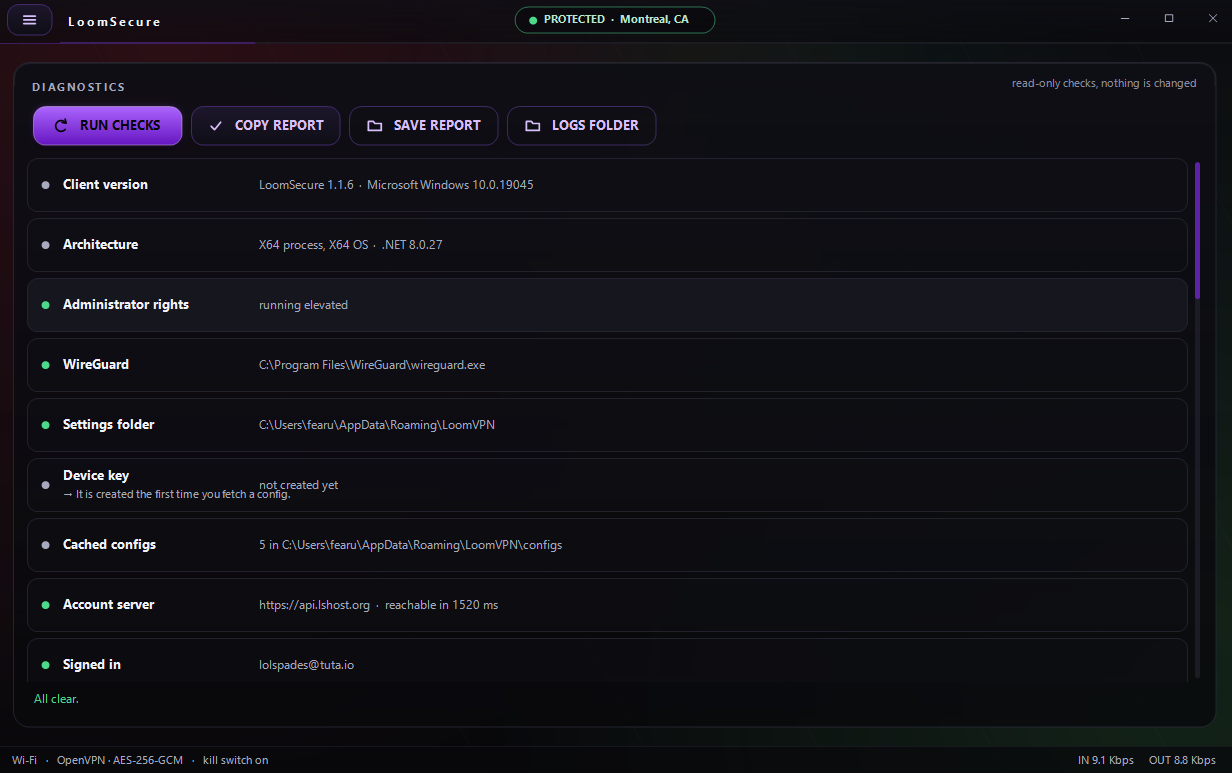
Diagnostics screen listing read-only checks: client version, architecture, administrator rights, WireGuard path, settings folder, device key, cached configs, account server reachability and signed-in account, all passing. Diagnostics · read-only checks, nothing changed
Diagnostics

When something's off, you can prove it

One click runs every check — version, elevation, WireGuard, cached configs, account server reachability — and nothing is modified.

  • Copy or save the reportShare a clean read-out, or open the logs folder directly.
  • Green means goEvery row shows status at a glance, ending in “All clear.”
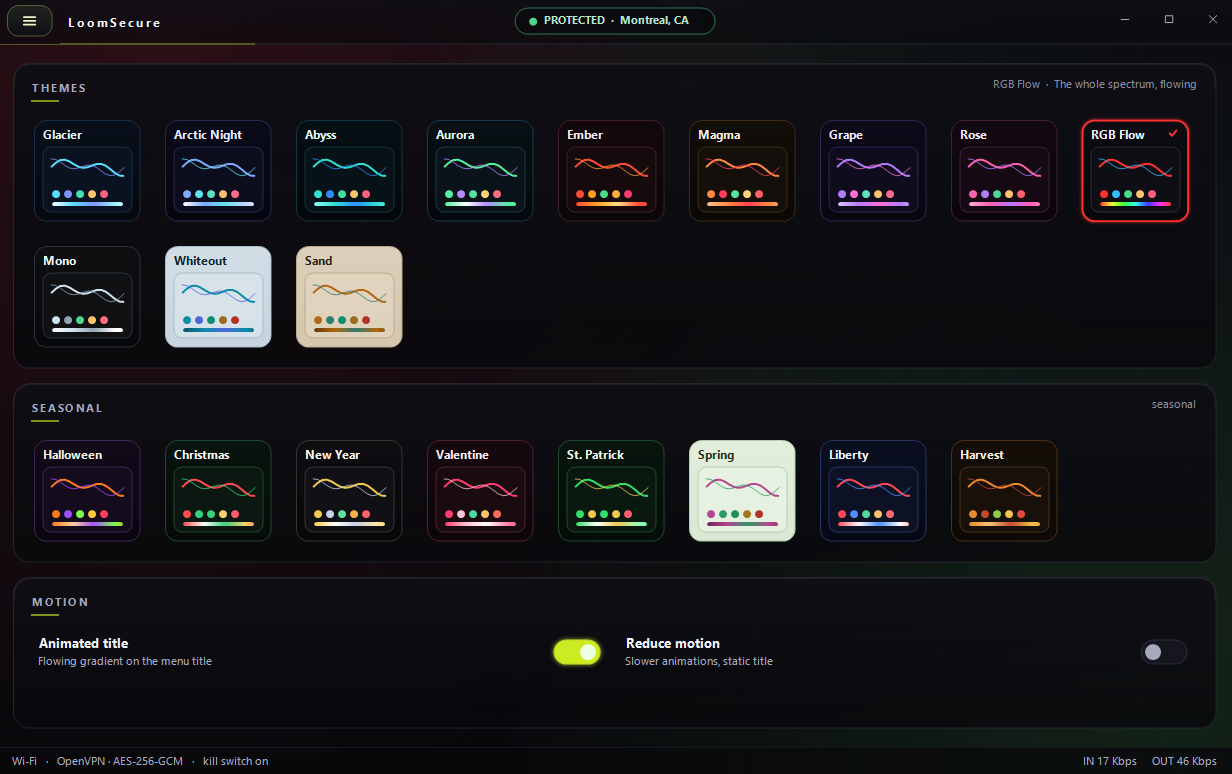
Theme gallery with core themes like Glacier, Aurora, Magma and RGB Flow, a seasonal row including Halloween, Christmas and Spring, and motion settings for animated title and reduce motion. Themes · 20+ looks, seasonal sets, motion controls
Make it yours

Twenty-plus themes, seasonal drops included

From Glacier and Aurora to the full-spectrum RGB Flow — change the entire look in a tap, right down to an animated wordmark.

Seasonal sets

Halloween, Christmas, New Year, Spring, Harvest and more.

Reduce motion

Slower animations and a static title, for comfort or accessibility.

LoomSecure emblem

Protect this device.

Pro covers up to 5 devices with the kill switch, encrypted DNS, split tunneling and Flood Watch — all measured locally, all yours.

Pro yearly · up to 5 devices · per-device WireGuard key stays on your PC

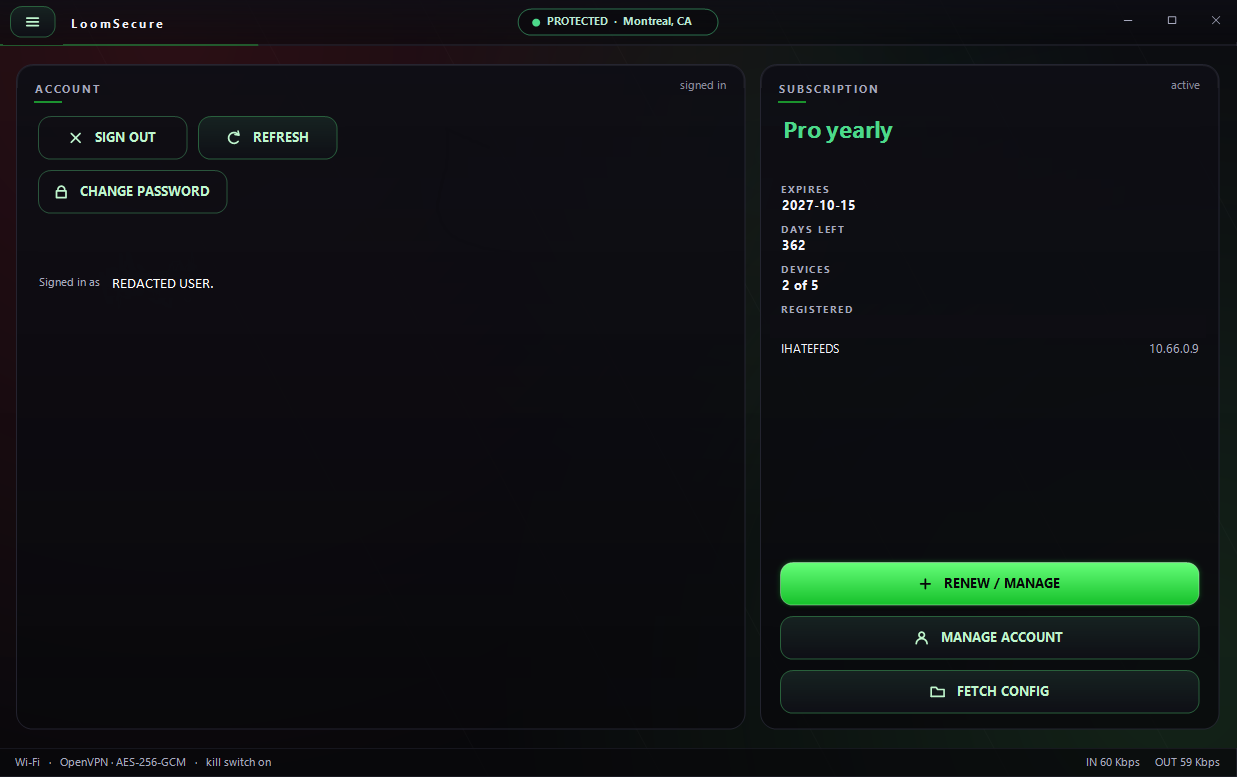
Account screen showing a signed-in Pro yearly subscription, days left, 2 of 5 devices registered, and buttons to renew, manage account and fetch config. Account · Pro yearly, 2 of 5 devices
Your account

One plan, every device

  • Up to 5 devicesSee what's registered and each device's tunnel IP.
  • Fetch config in a tapPull fresh configs tied to your active plan whenever you need them.